Set a Device to Inactive
In the Device module, you can manage the operational status of your devices. Setting a device to Inactive disables it from participating in events and other platform functionalities.
To Set a Device to Inactive
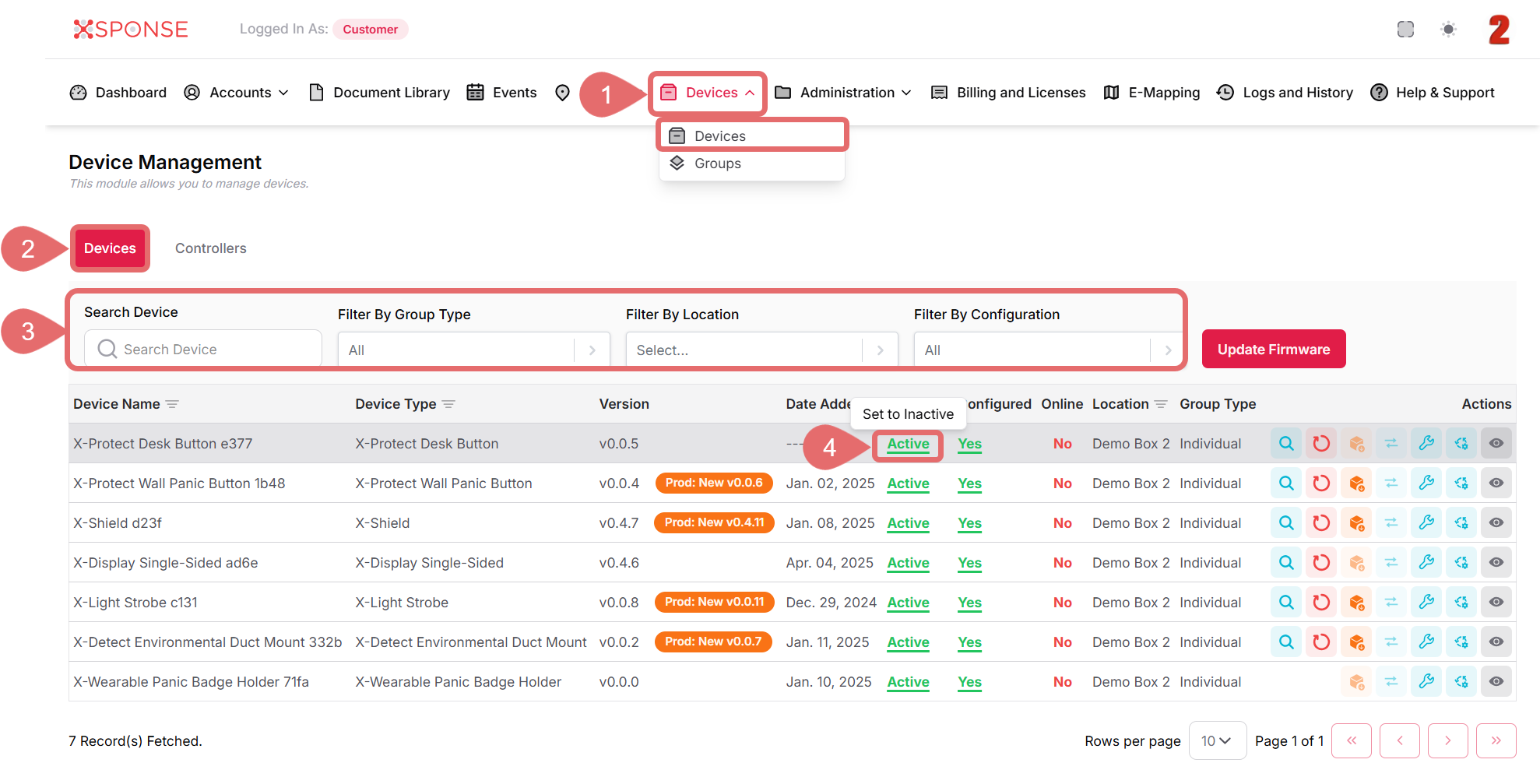
- Go to Devices > Devices in the main menu.
- Select the Devices tab.
- Use the search bar or filters to locate the device you want to inactive.
- Click the Active status next to the device. A tooltip will appear labeled Set to Inactive.
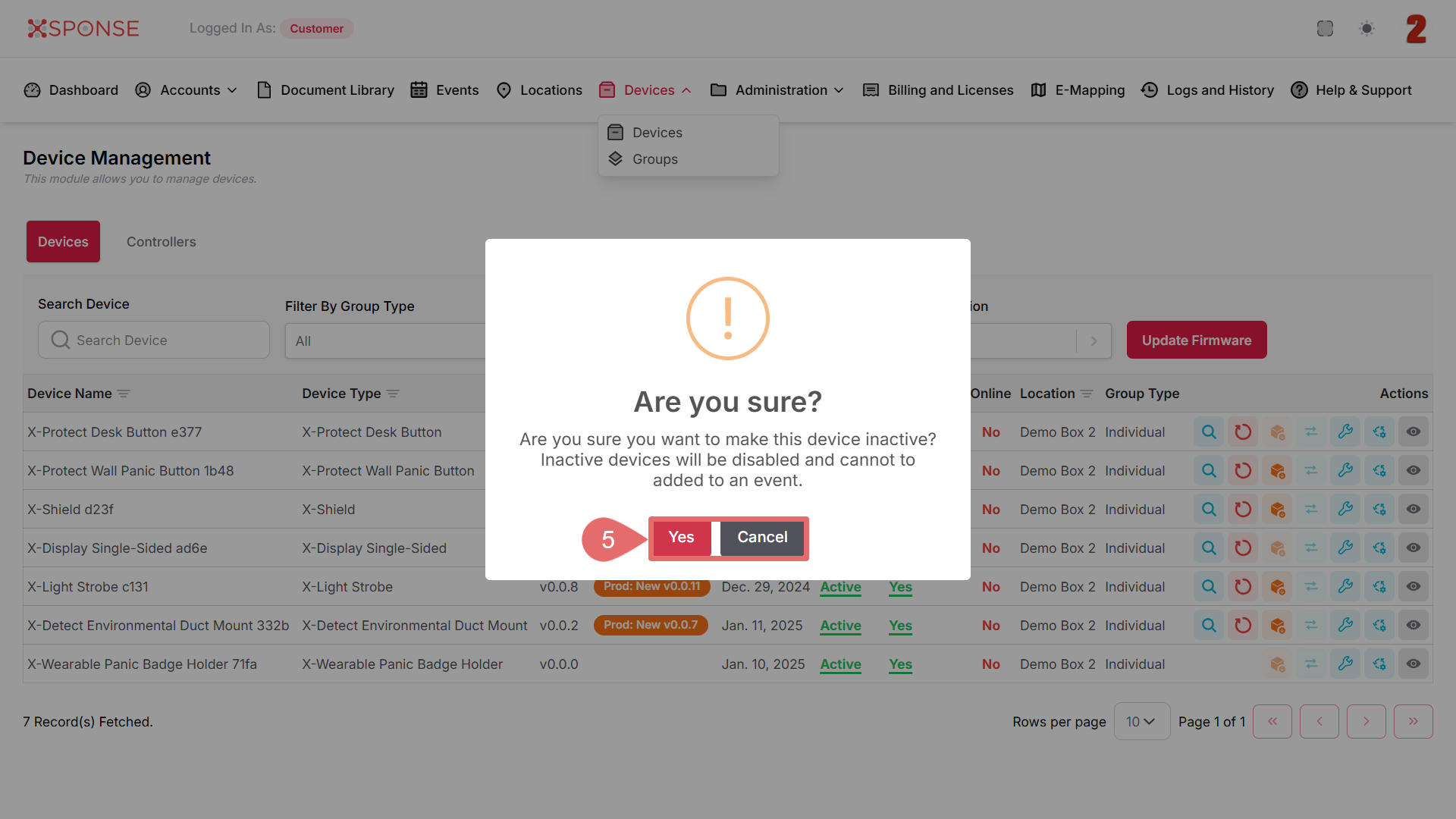
- Click Yes to proceed or Cancel to stop the process.
Effect of Setting a Device to Inactive
Inactive devices are disabled and cannot be added to events or assigned to configurations. You will need to reactivate them to restore full functionality.
See Also
To complement your knowledge of this process, check the following pages: