Send OTA Update
In the Devices module, you can send an Over-The-Air (OTA) production update to a selected device. This action installs the latest production firmware version available, ensuring your device is up to date with enhancements and bug fixes.
To Send an OTA Update
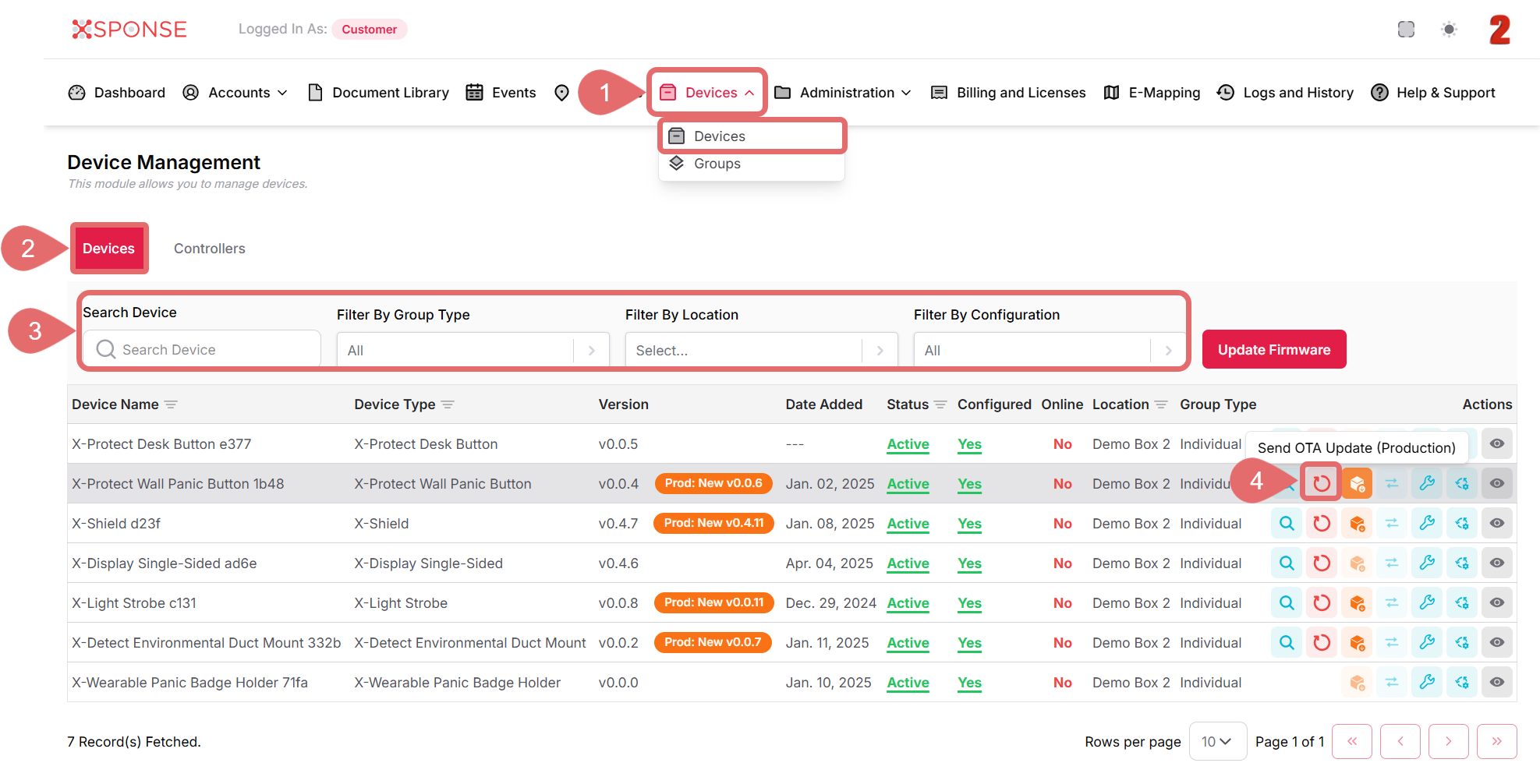
- Go to Devices > Devices in the main menu.
- Select the Devices tab.
- Use the search bar or filters to locate the device you want to update or you can also scroll through the list to locate it manually.
- In the Actions column, click the Send OTA Update (Production) icon.
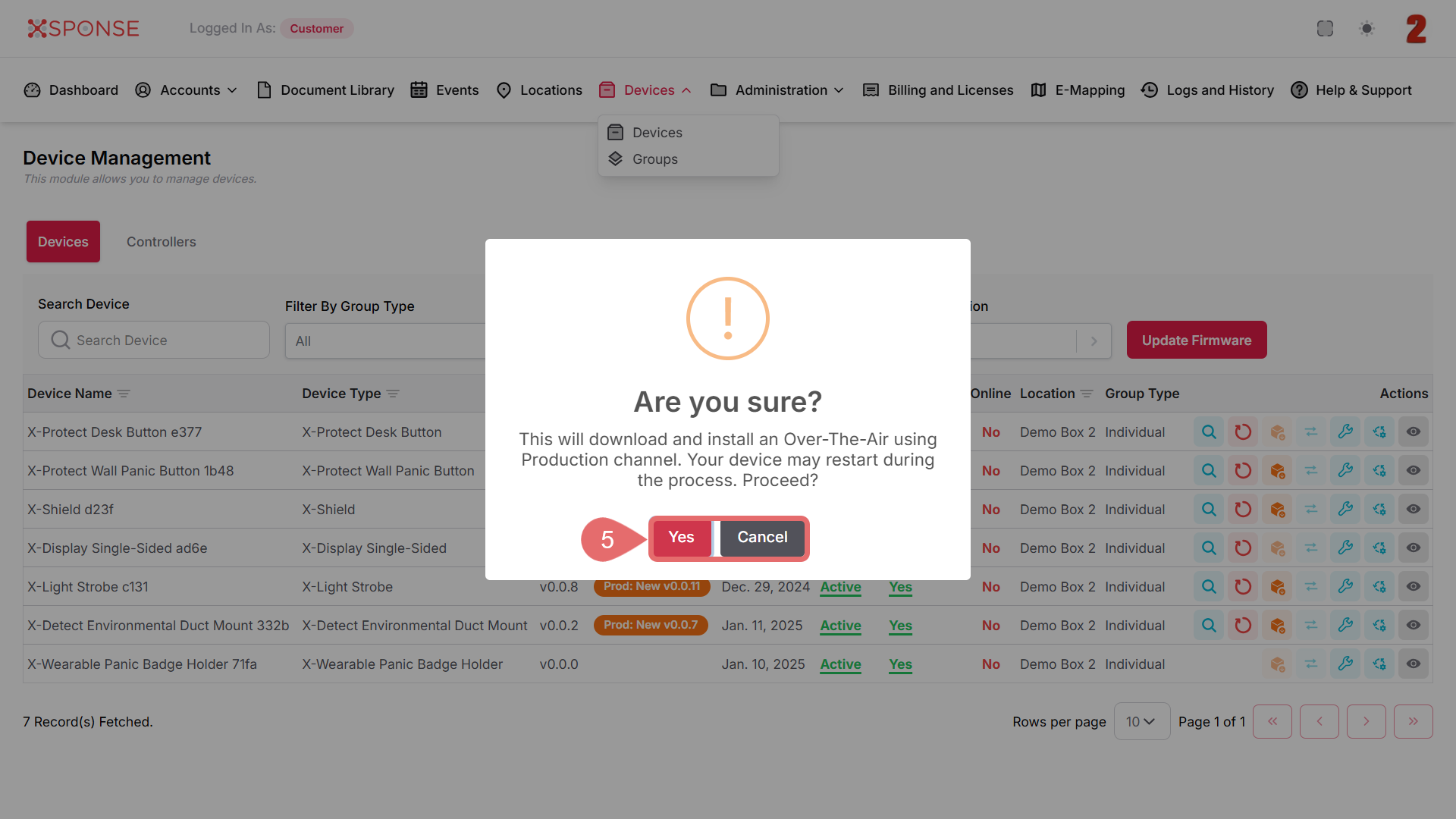
- A confirmation dialog will appear. Click Yes to proceed or Cancel to stop the action.
Important
Make sure the device is online and not currently in use, as it may restart during the update process.
See Also
To complement your knowledge of this process, check the following pages: