Configure Device Settings
In the Devices module, you can configure the selected device’s settings to match your operational needs. This feature is typically used to set specific behaviors, assign parameters, or update configuration profiles.
To Configure a Device
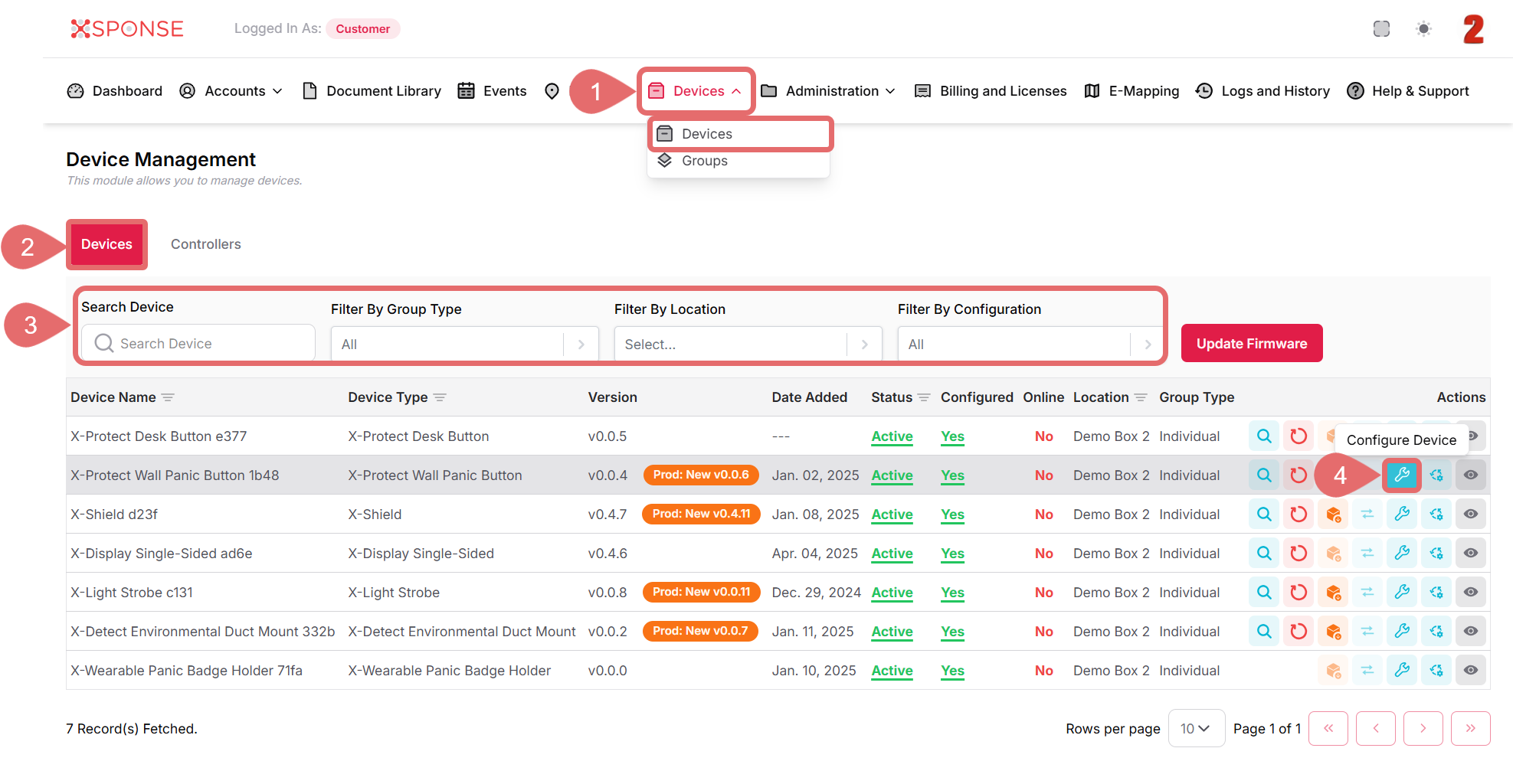
- Go to Devices > Devices in the main menu.
- Select the Devices tab.
- Use the search bar or filters to locate the device you want to reboot or you can also scroll through the list to locate it manually.
- In the Actions column, click the Configure Device icon.
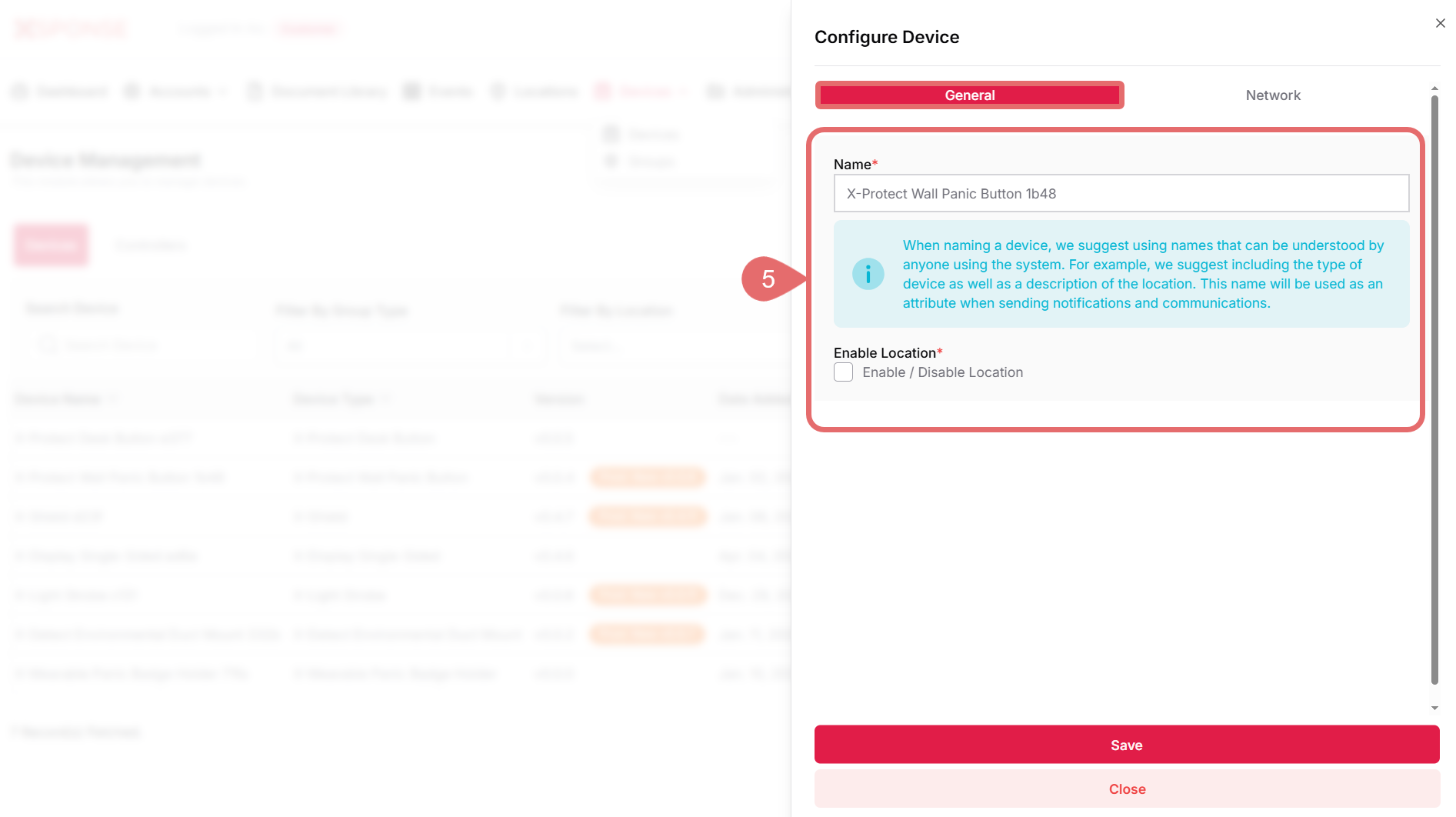
- In the General tab:
- Enter a name for the device.
- Check the option to Enable Location if required.
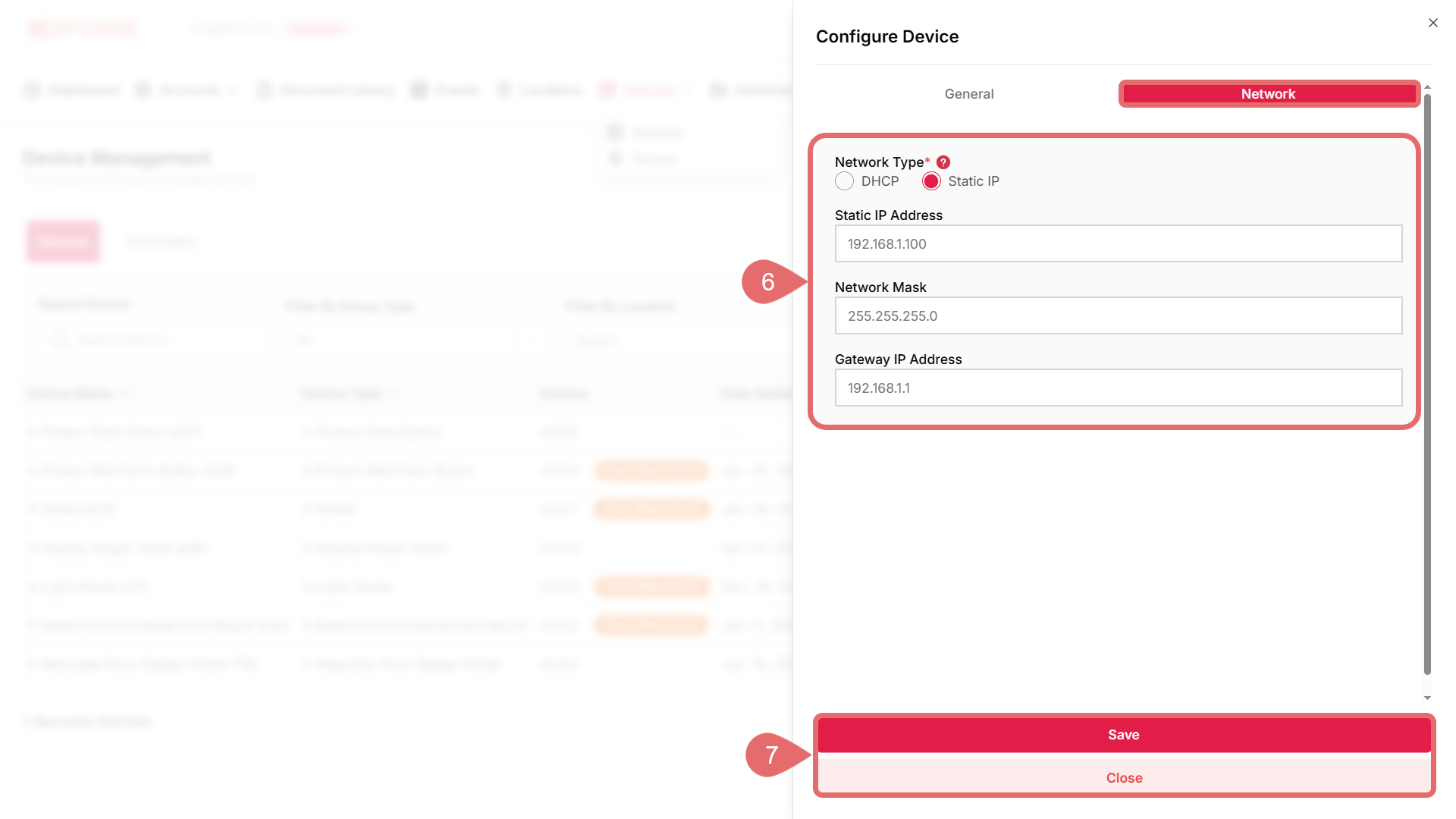
- In the Network tab:
- Choose between DHCP or Static IP.
- If you select Static IP, additional fields will appear:
- Static IP Address
- Network Mask
- Gateway IP Address
- Click Save to apply the changes or Close to discard them.
Configuration Impact
Changes made to the configuration may require the device to reboot or briefly go offline in order to apply the updates.
See Also
To complement your knowledge of this process, check the following pages: