View Hub Information
In the Devices module, you can quickly access detailed information about the Hub connected to your devices. This feature is useful for checking its status, configuration, network details, and firmware version.
To View Hub Information
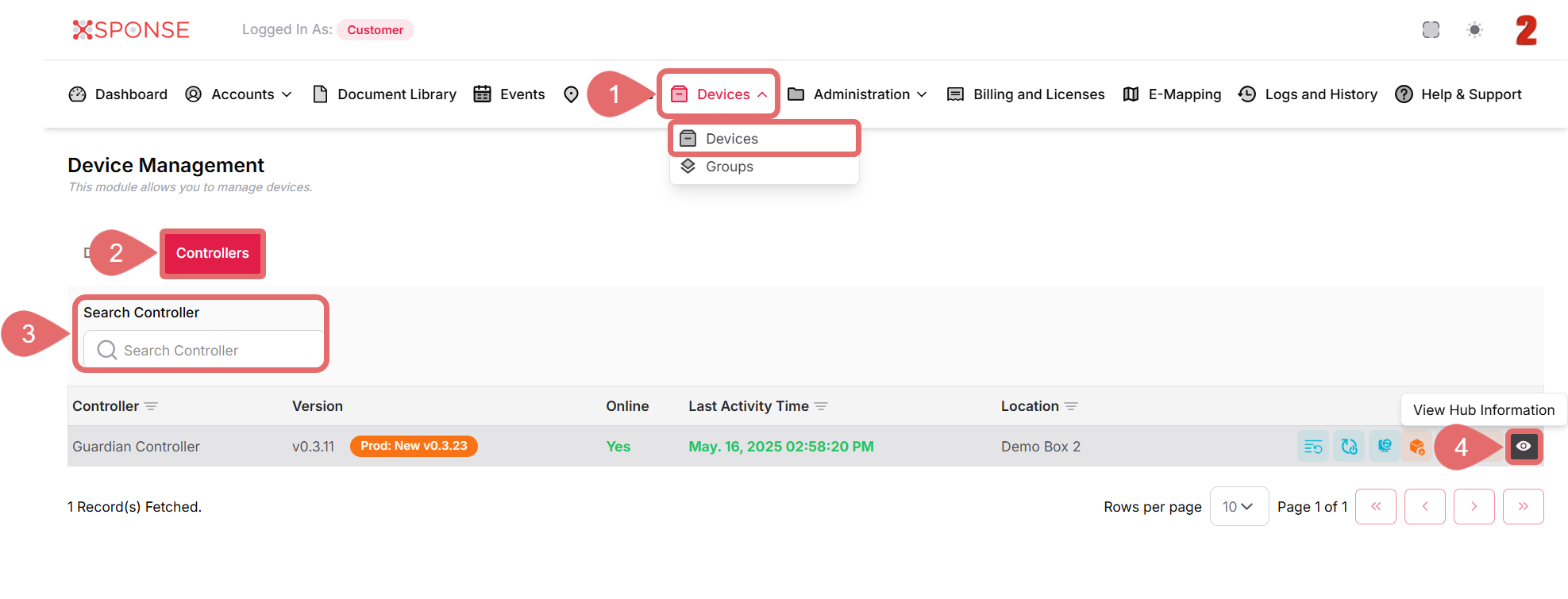
- Go to Devices > Devices in the main menu.
- Select the Controllers tab.
- Locate the controller (Hub) in the list using the search bar or you can also scroll through the list to locate it manually.
- In the Actions column, click the View Hub Information icon.
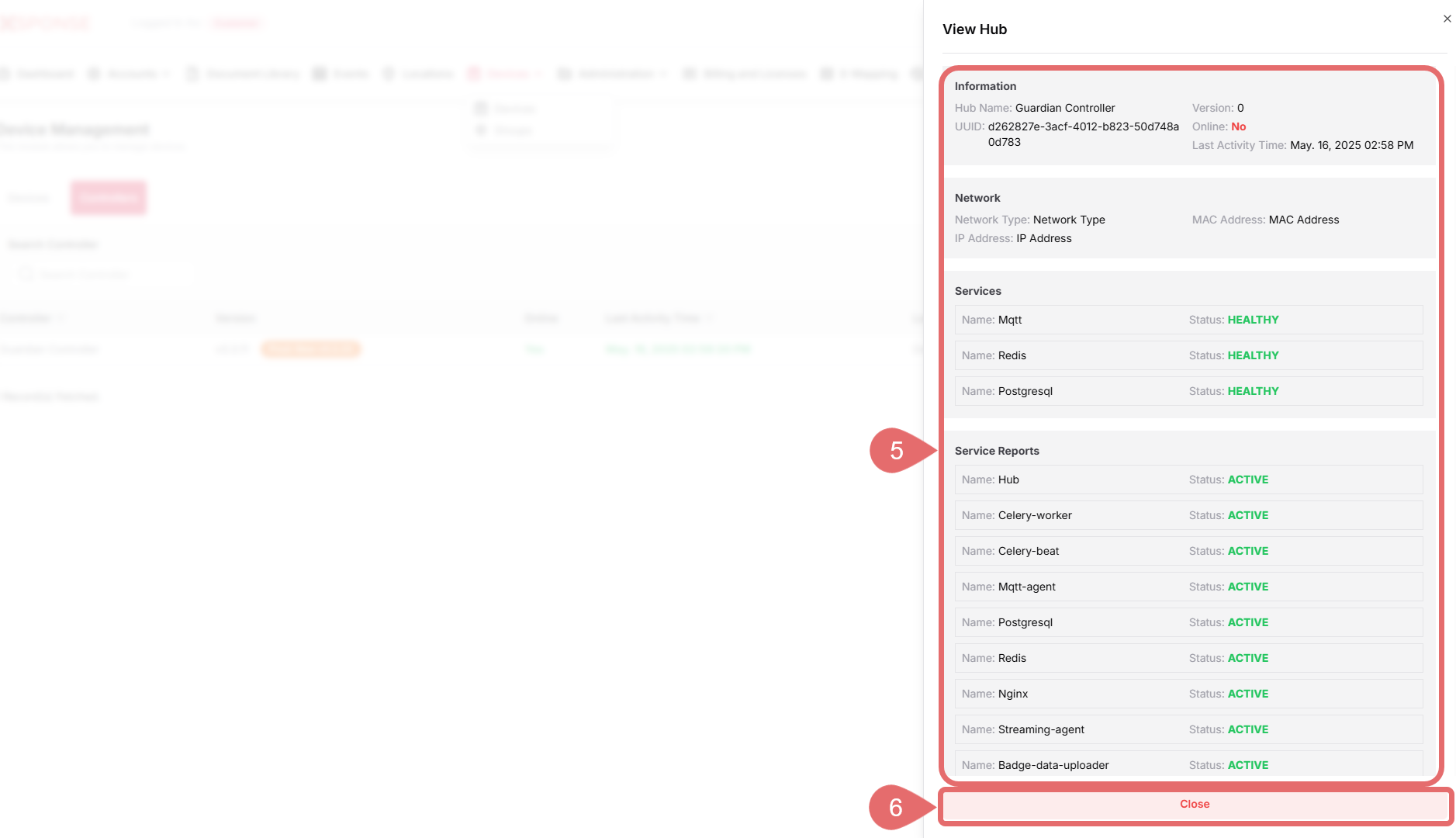
- The View Hub window will display the following details:
| Section | Field | Description |
|---|---|---|
| Information | Hub Name | Assigned name of the Hub. |
| UUID | Unique identifier of the Hub. | |
| Version | Hub's firmware version. | |
| Online | Hub’s online status (Yes/No). | |
| Last Activity Time | Date and time of the Hub’s last activity. | |
| Network | Network Type | Type of network (e.g., Ethernet, Wi-Fi). |
| MAC Address | Hub’s MAC address. | |
| IP Address | Assigned IP address. | |
| Services | Name | Name of each active service. |
| Status | Status of each service. | |
| Services Report | Name | Name of the service report. |
| Status | Current status in the system. |
Why is this important?
Accessing detailed Hub information allows administrators to verify its operation, firmware version, network connection, and active services, enabling remote diagnostics and preventive maintenance.
See Also
To complement your knowledge of this process, check the following pages: