Update Controller Name
In the Device module, you can update the name of a controller (Controller), making it easier to identify and manage your hubs across different locations or roles.
To Update the Controller Name
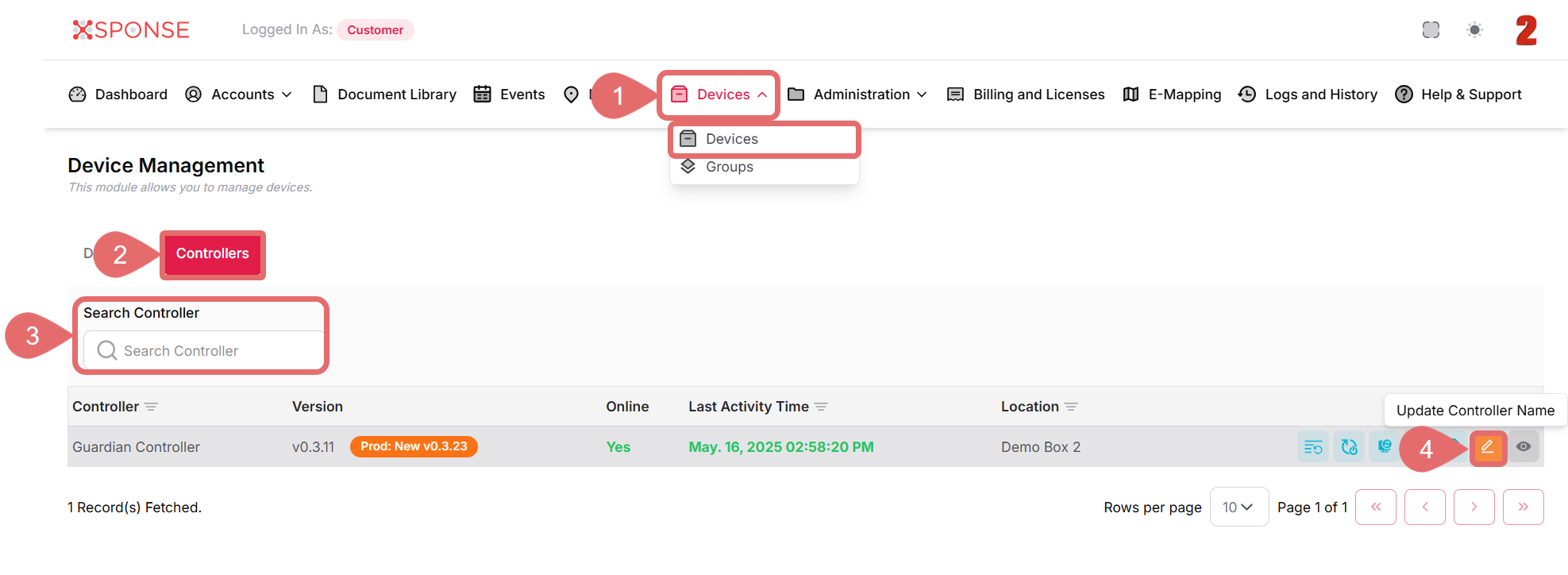
- Go to Devices > Devices in the main menu
- Select the Controllers tab.
- Locate the controller you want to rename in the list using the search bar or you can also scroll through the list to locate it manually.
- In the Actions column, click the edit icon.
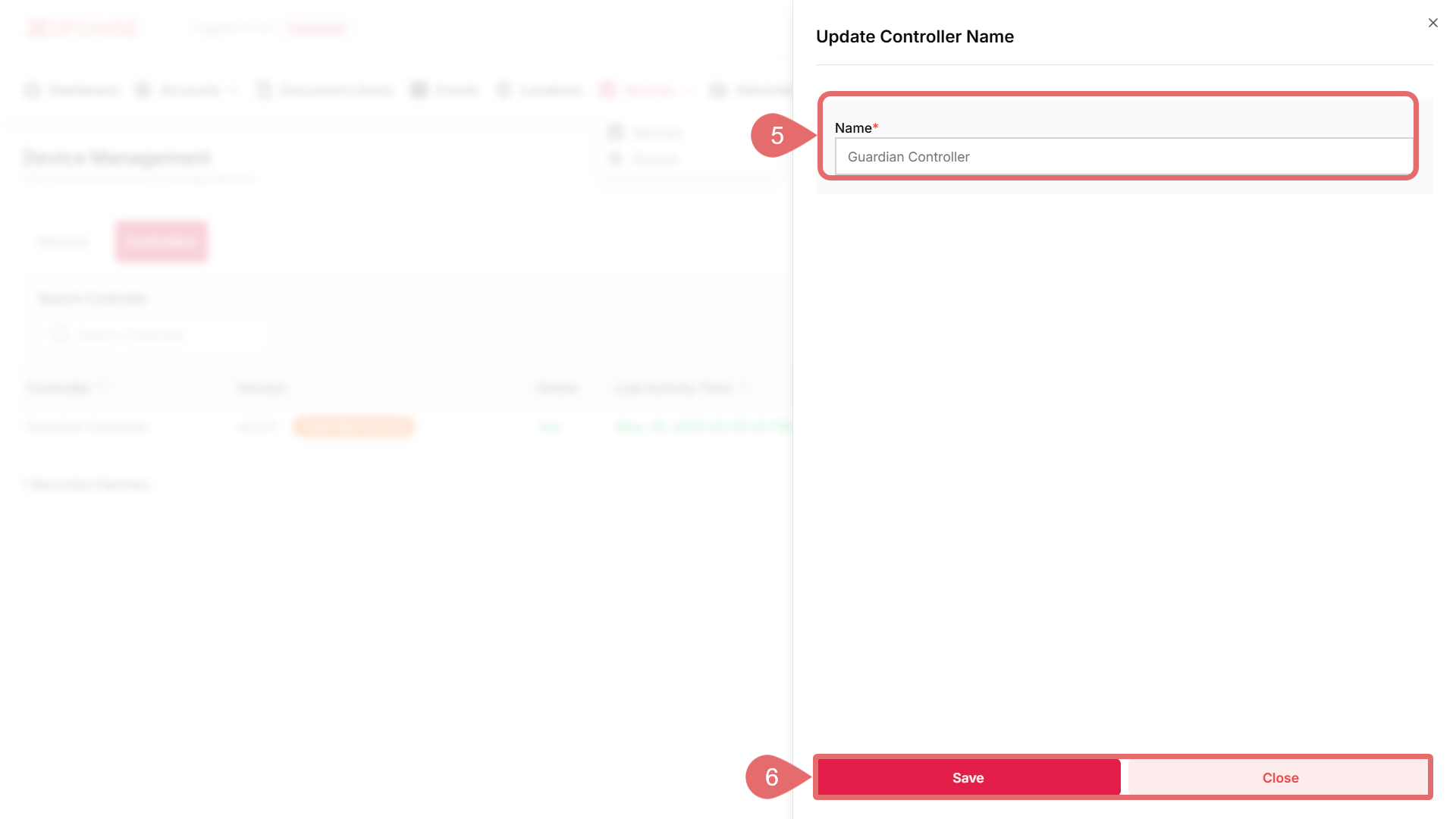
- Enter the new name for the controller in the Name field (required).
- Once entered, click Save to apply the changes or Close to cancel the operation.
Why is this important?
Using descriptive names for your controllers makes them easier to identify and manage—especially in deployments with multiple hubs or where precise control is required.
See Also
To complement your knowledge of this process, check the following pages: