Sync a Controller
You can manually send a synchronization signal to a controller from the platform to ensure it is up to date with the latest configuration or system state. This is helpful for resolving inconsistencies or confirming connectivity between the controller and the system.
To Sync a Controller
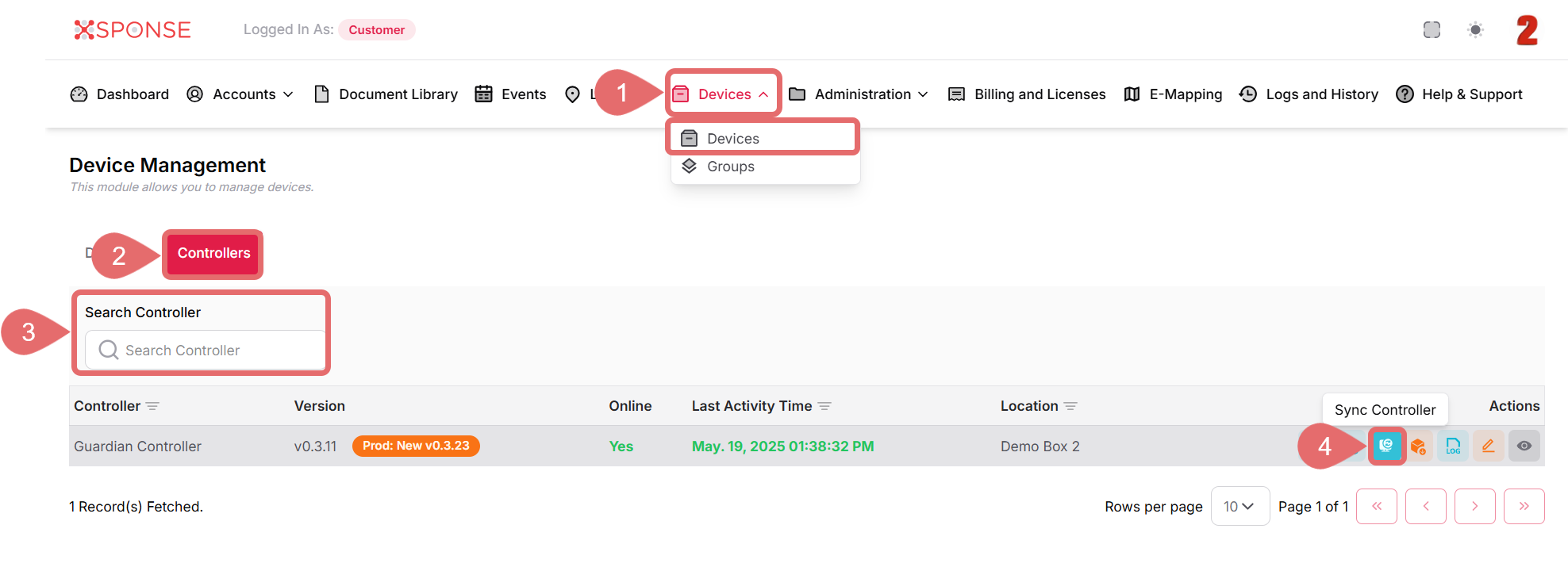
- Go to Devices > Devices in the main menu.
- Select the Controllers tab.
- Locate the controller in the list using the search bar or you can also scroll through the list to locate it manually.
- In the Actions column, click the Sync Controller icon.
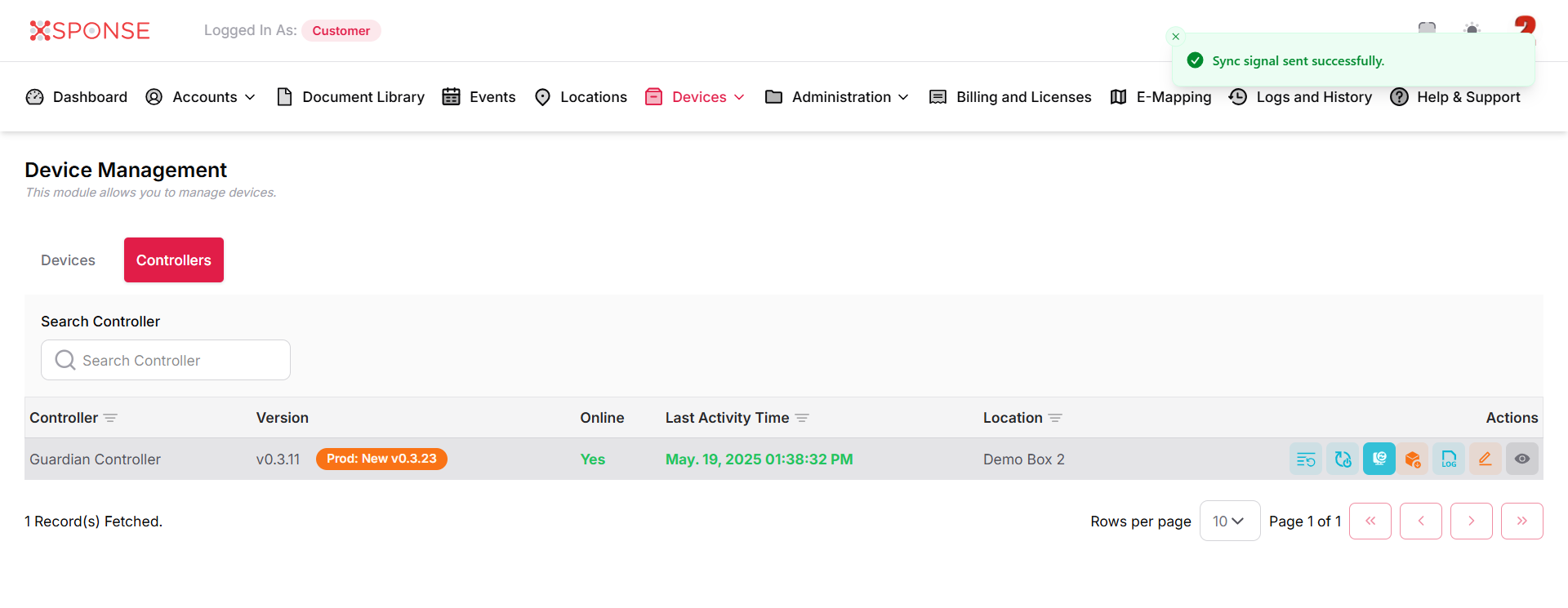
A confirmation message will appear at the top of the screen indicating the sync signal was sent successfully.
Why is this important?
Using the Sync Controller option helps ensure your controllers are operating with the most recent configurations and can help resolve minor synchronization or communication issues.
See Also
To complement your knowledge of this process, check the following pages: