Reboot a Controller
You can manually reboot a controller from the platform to resolve temporary malfunctions or reinitialize its connection with the system. This is useful when a controller becomes unresponsive or needs a quick reset.
To Reboot a Controller
Before you reboot
Make sure the controller is not actively processing tasks, as rebooting will temporarily interrupt all device communication.
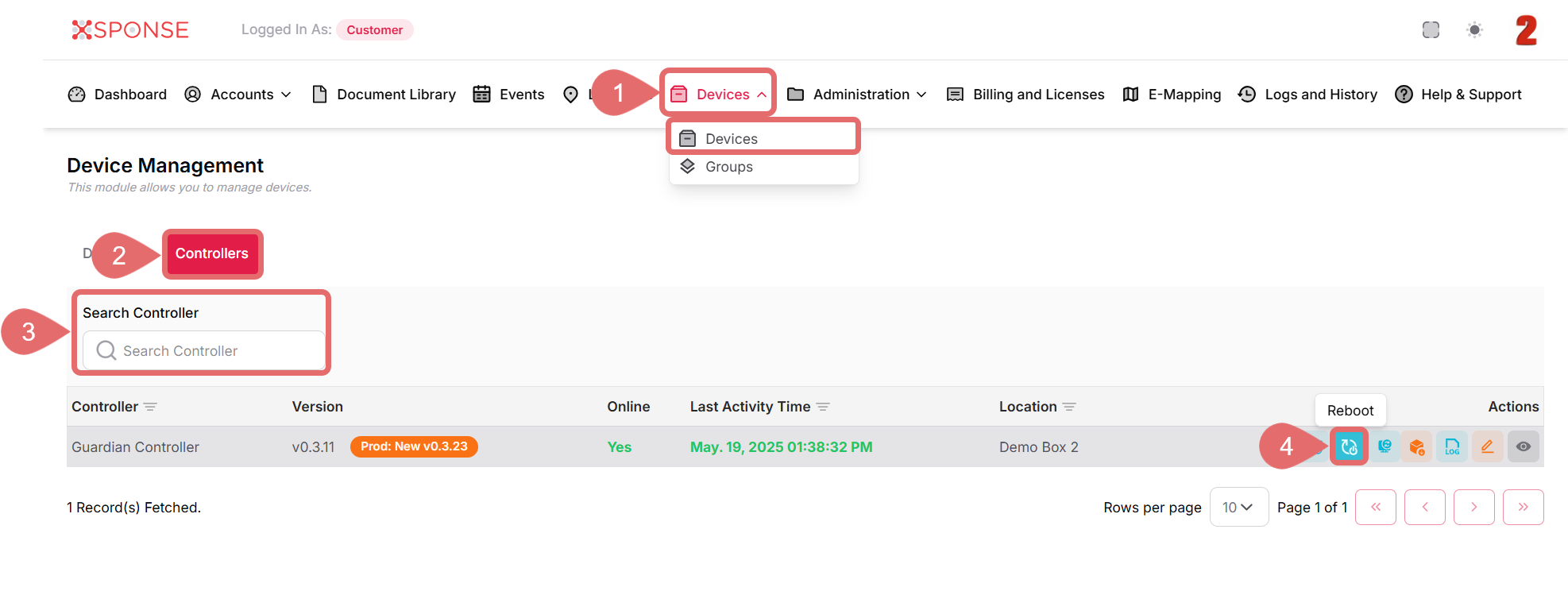
- Go to Devices > Devices in the main menu.
- Select the Controllers tab.
- Locate the controller in the list using the search bar or you can also scroll through the list to locate it manually.
- In the Actions column, click the Reboot icon.
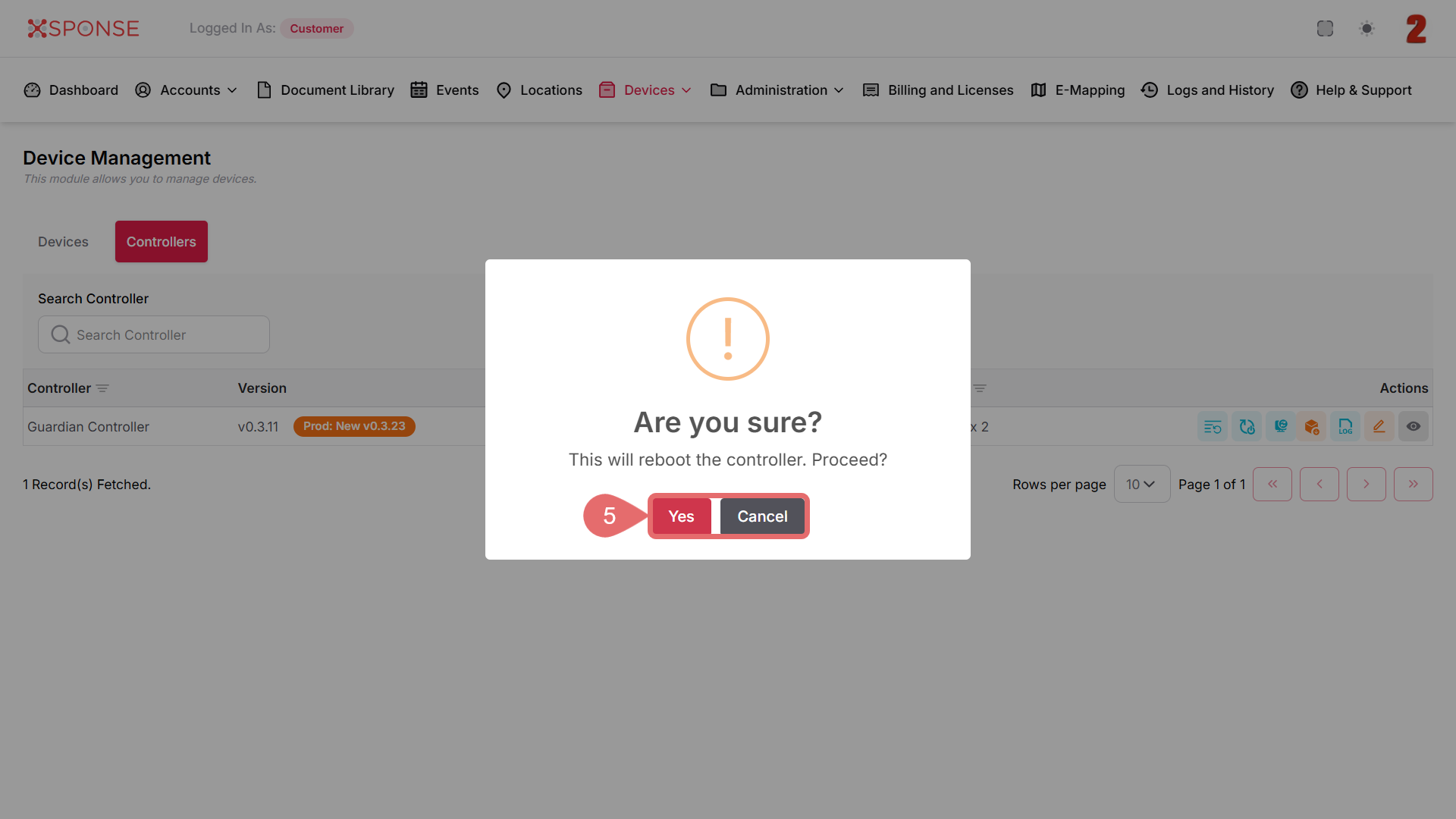
- A confirmation dialog will appear. Click Yes to proceed or Cancel to stop the action.
Why is this important?
Rebooting a controller helps restore connectivity and function in the event of minor performance issues or communication timeouts.
See Also
To complement your knowledge of this process, check the following pages: