Edit Geolocation Events
In the E-Mapping module, you can edit geolocation-based event zones and their parameters to adapt to changing needs. This feature is typically used to adjust defined areas, reconfigure event behaviors, or improve spatial accuracy in your monitoring layout.
To Edit a Geolocation Event
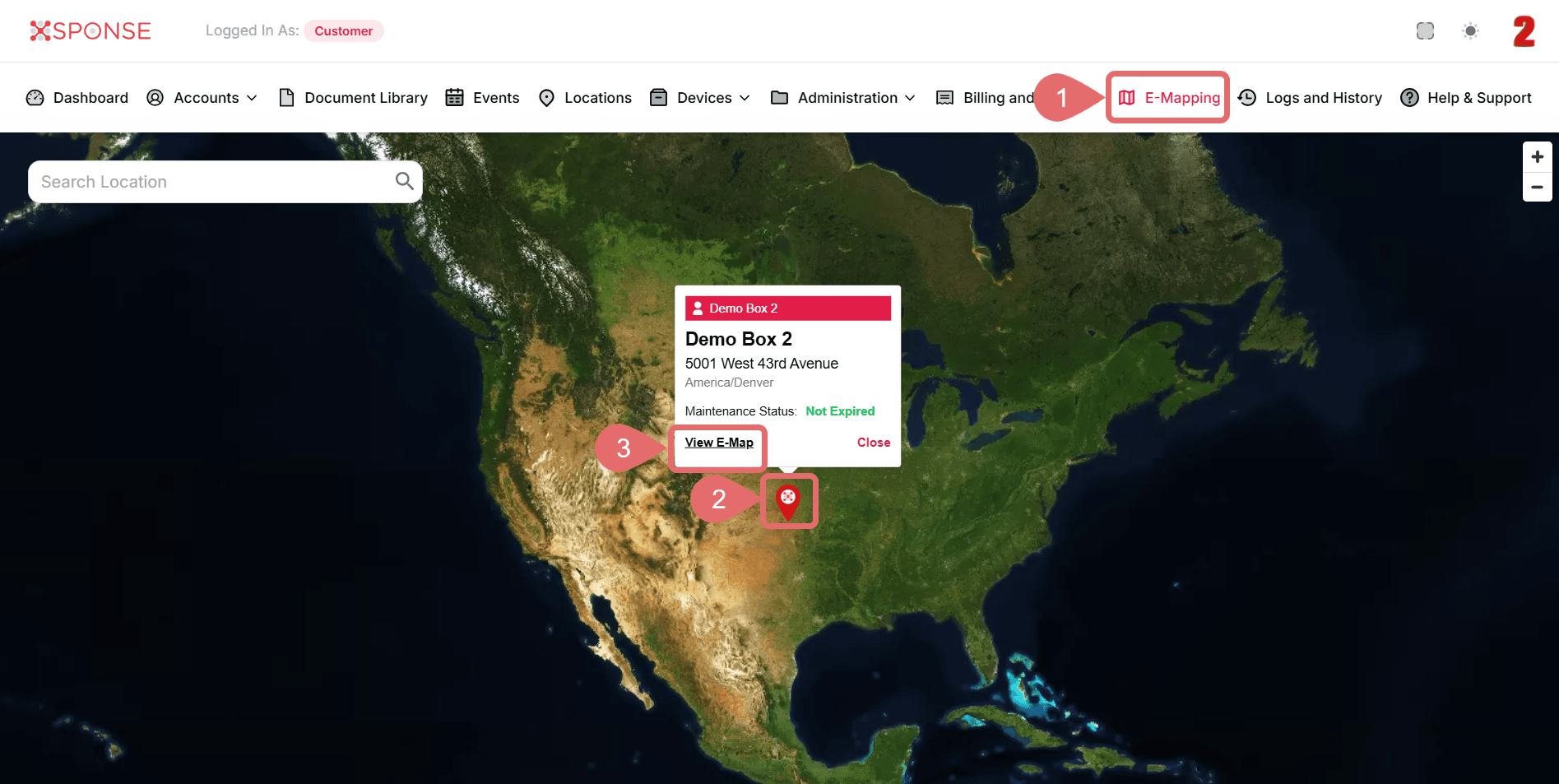
- Go to E-Mapping in the main menu.
- Select Marker.
- Click View E-Map.
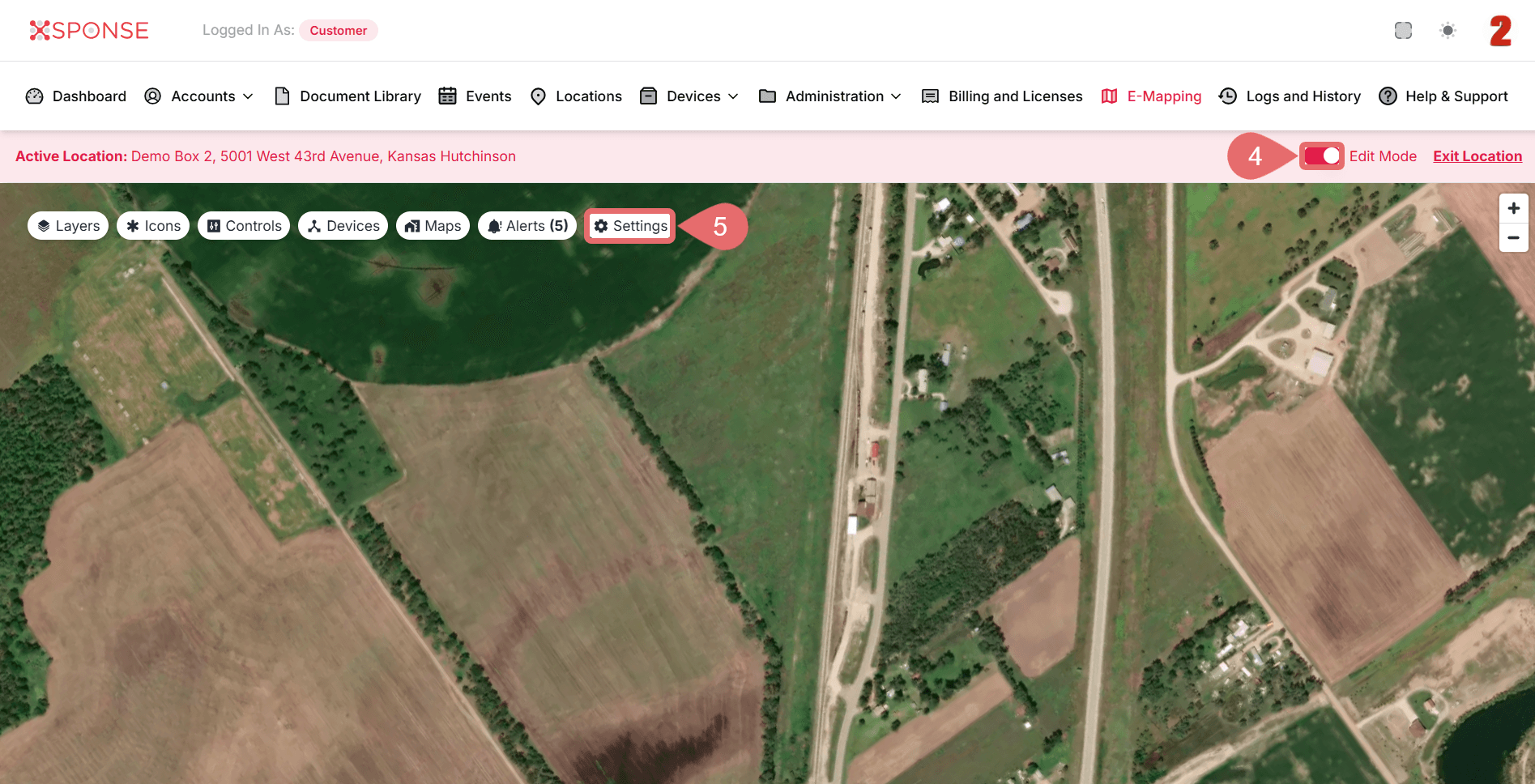
- Slide the Edit Mode toggle in the top bar to enable editing mode.
- Once Edit Mode is active, click Settings to open the configuration options.
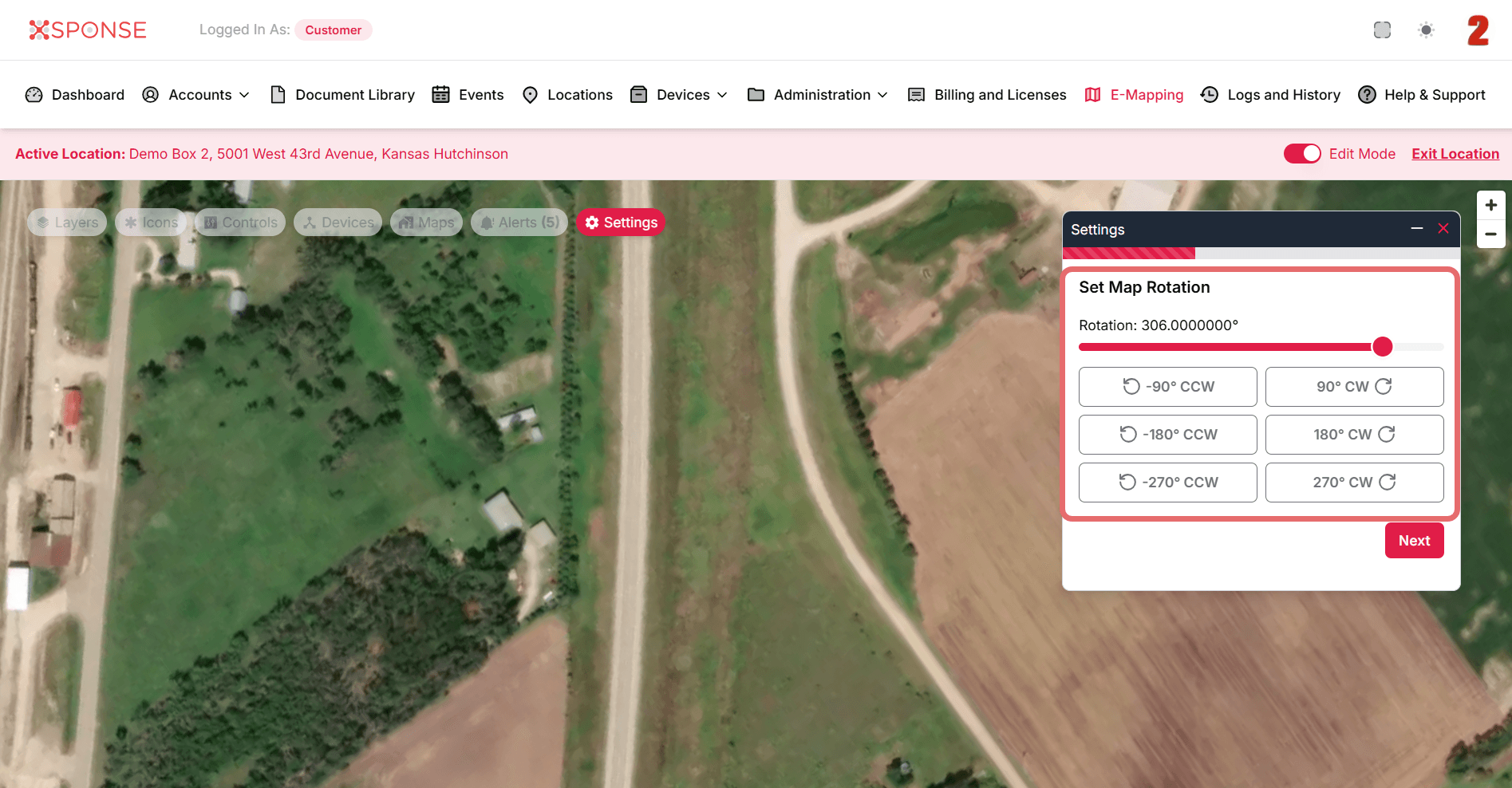
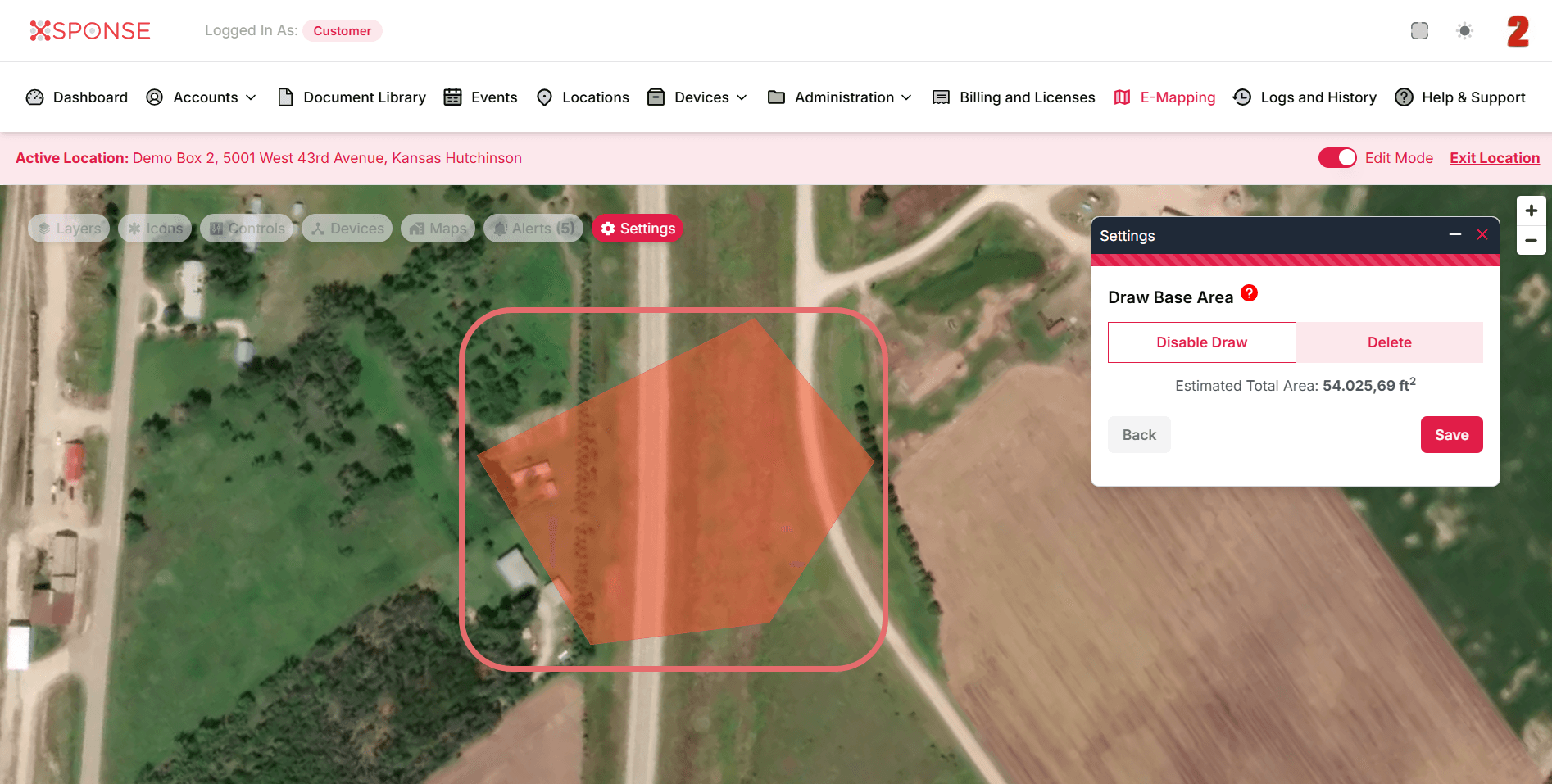
- In the Settings window, adjust the following as needed:
- Set Map Rotation: Change the viewing angle to make editing easier.
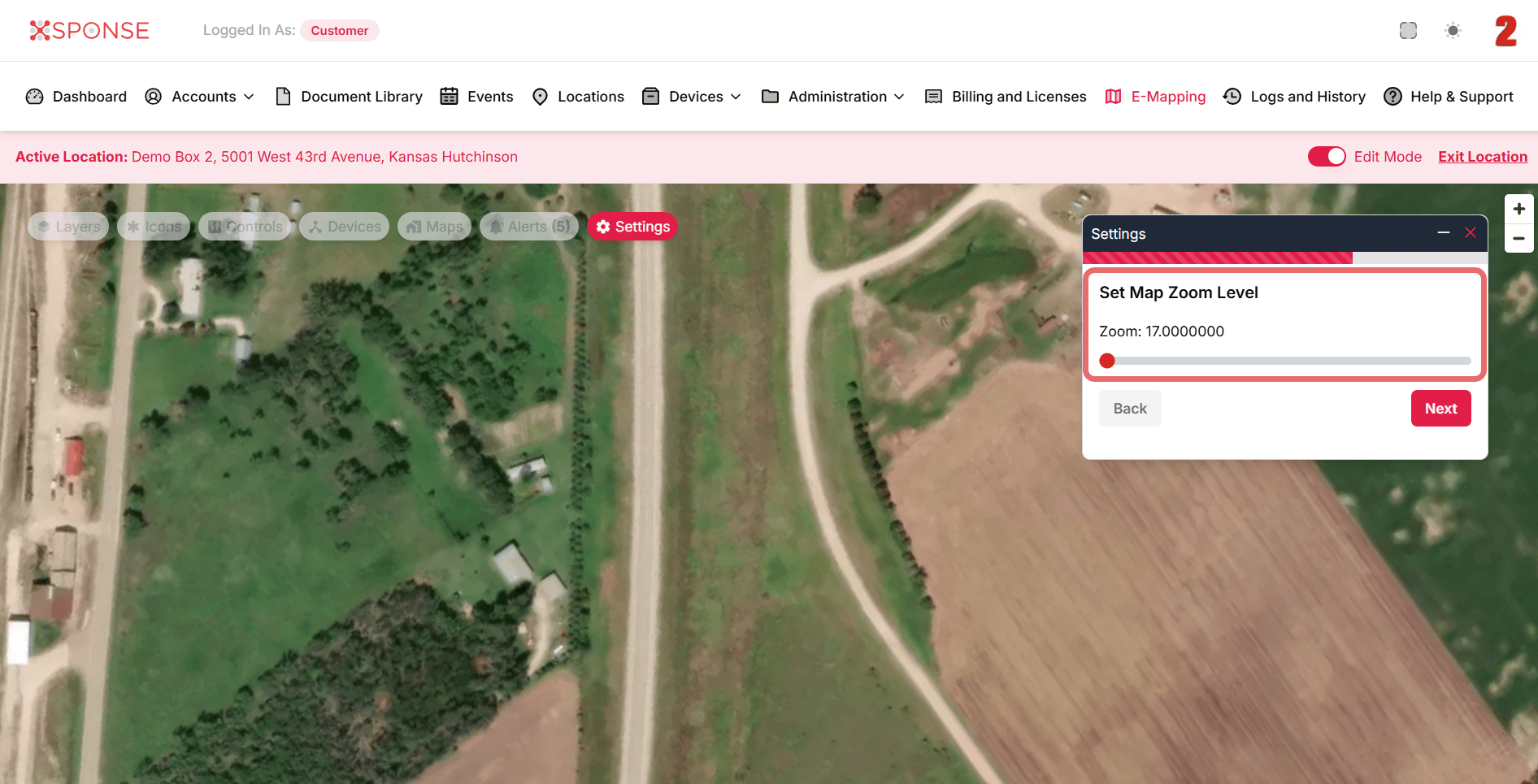
- Set Map Zoom Level: Adjust the map size for greater precision.
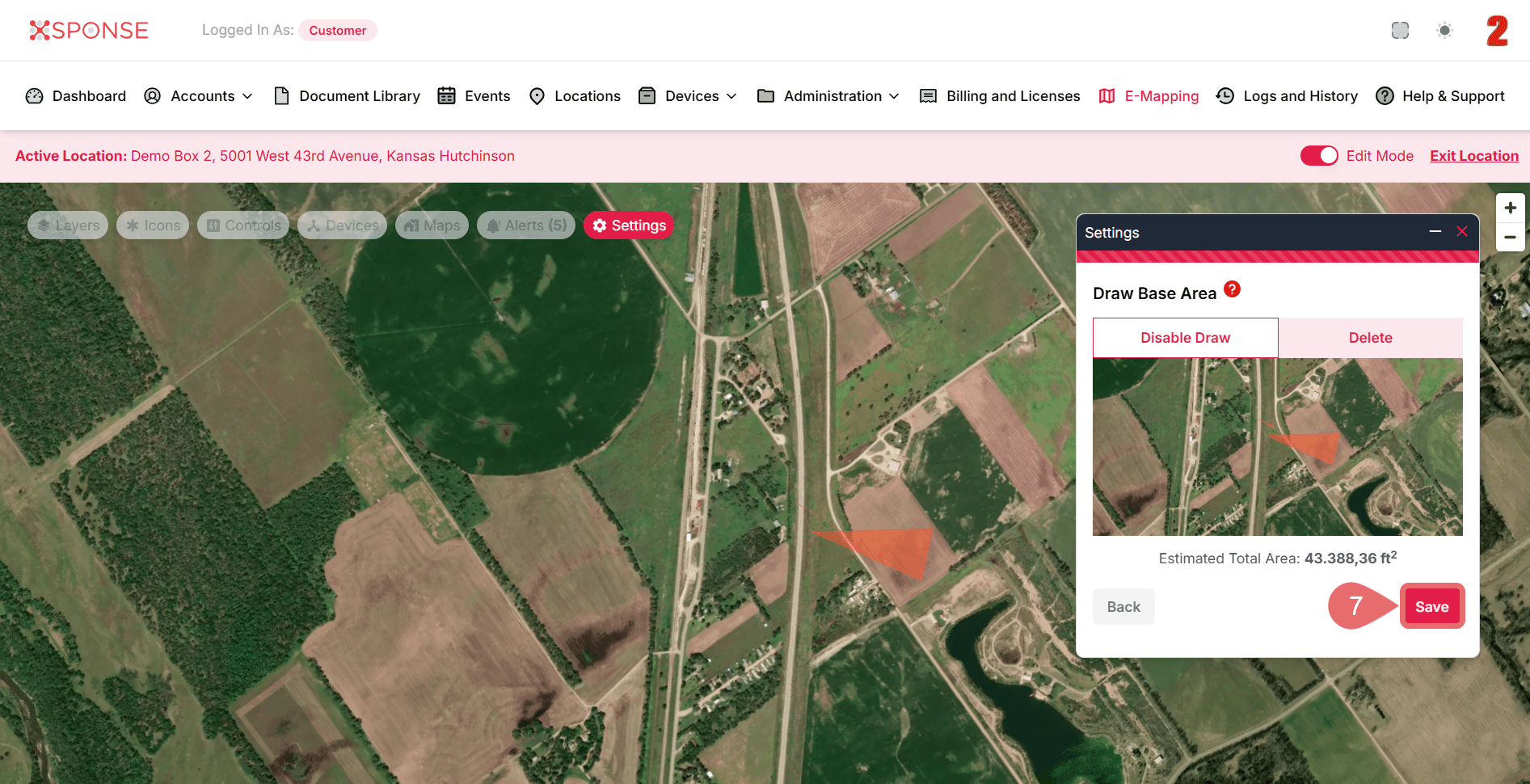
- Draw Base Area: Redraw or adjust the zone by dragging points on the map.
- Set Map Rotation: Change the viewing angle to make editing easier.
- When you're done with the changes, click Save to apply the updates.
See Also
To complement your knowledge of this process, check the following pages: