Remove an Event
You can remove an event in Xsponse when it is no longer needed. This action permanently deletes the event.
To Remove an Event
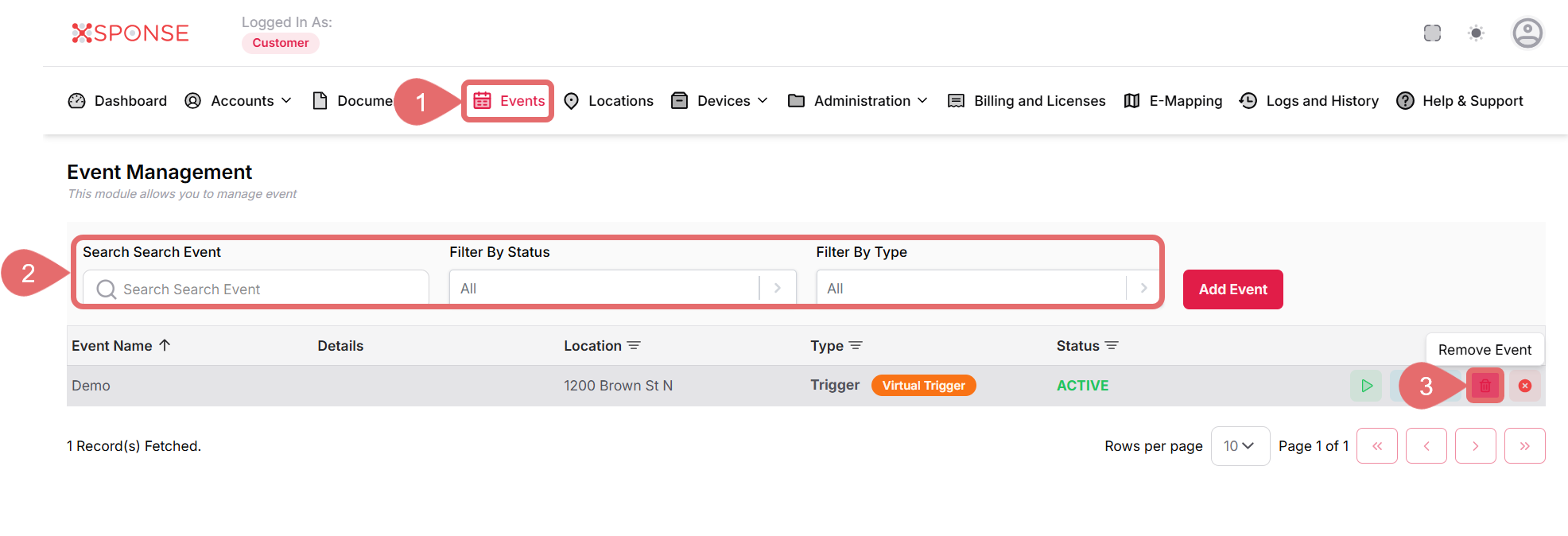
- Go to Events in the main menu.
- Use the search bar or filters to locate the event you want to remove or locate it manually in the list.
- Click the Remove Event icon in the Actions column.
- Click Remove to confirm, or Cancel to exit.
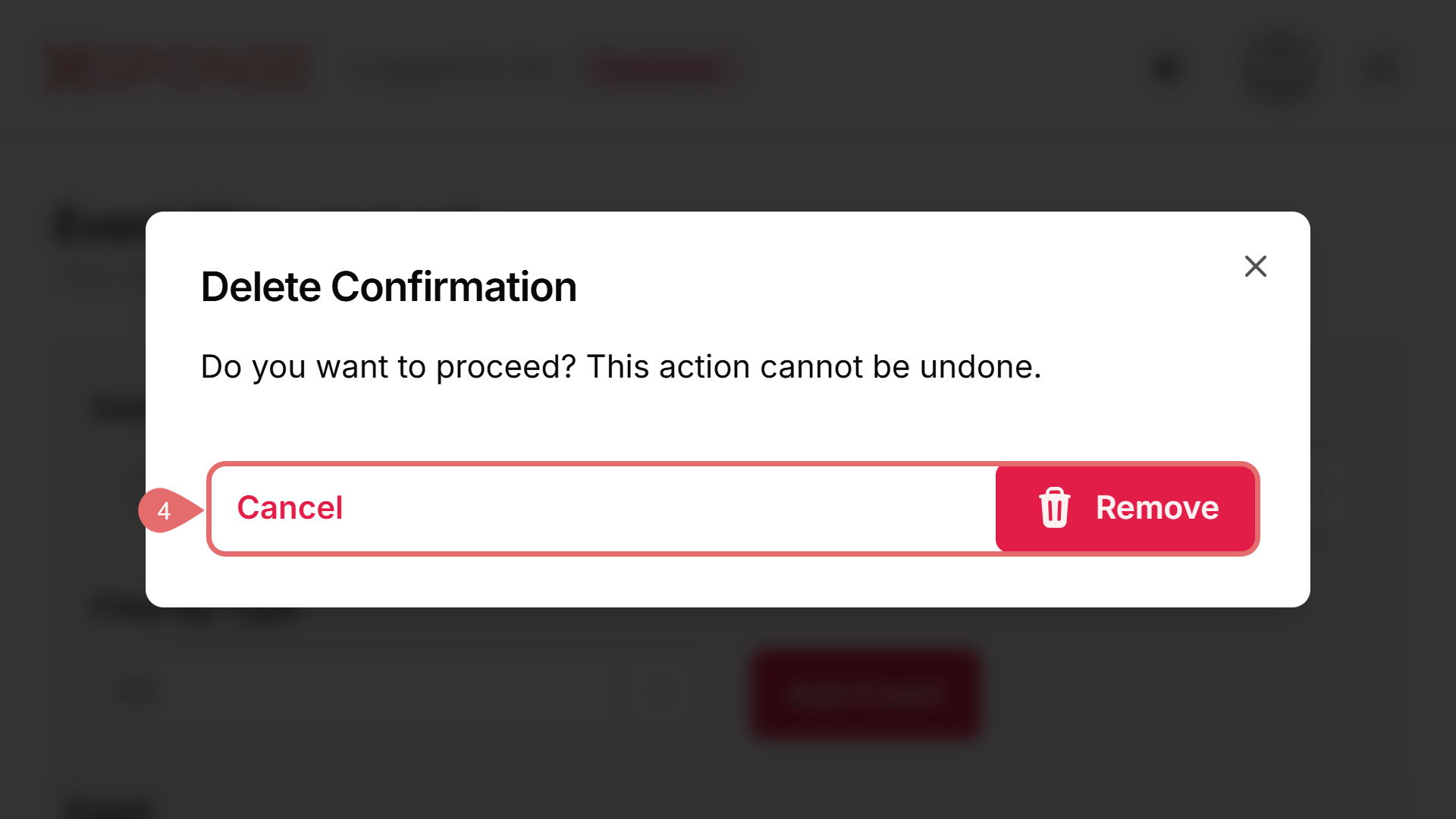
Permanent Action
Removing an event cannot be undone. Be sure to confirm before proceeding.
See Also
To complement your knowledge of this process, check the following pages: