Duplicate an Event
You can duplicate an event in Xsponse to quickly create a copy with the same configuration. This is useful when setting up similar events across different locations or times.
To Duplicate an Event
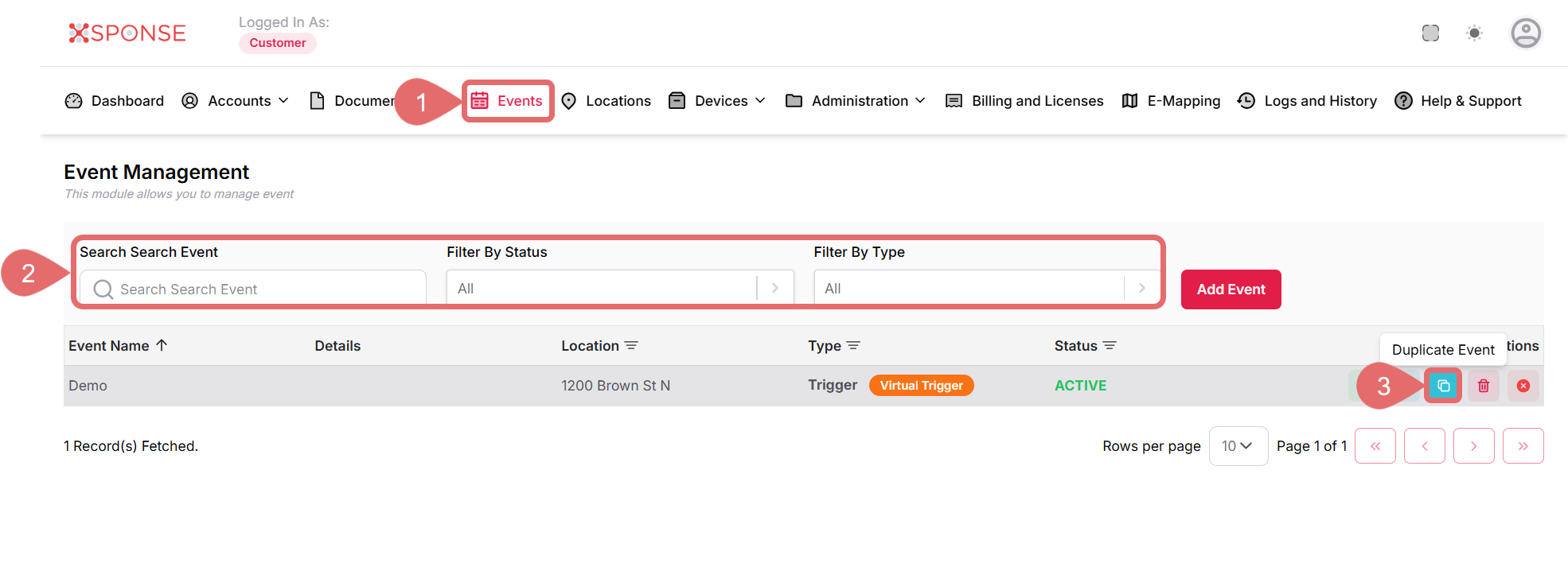
- Go to Events in the main menu.
- Use the search bar or filters to locate the event you want to duplicate or locate it manually in the list.
- Click the Duplicate Event icon in the Actions column.
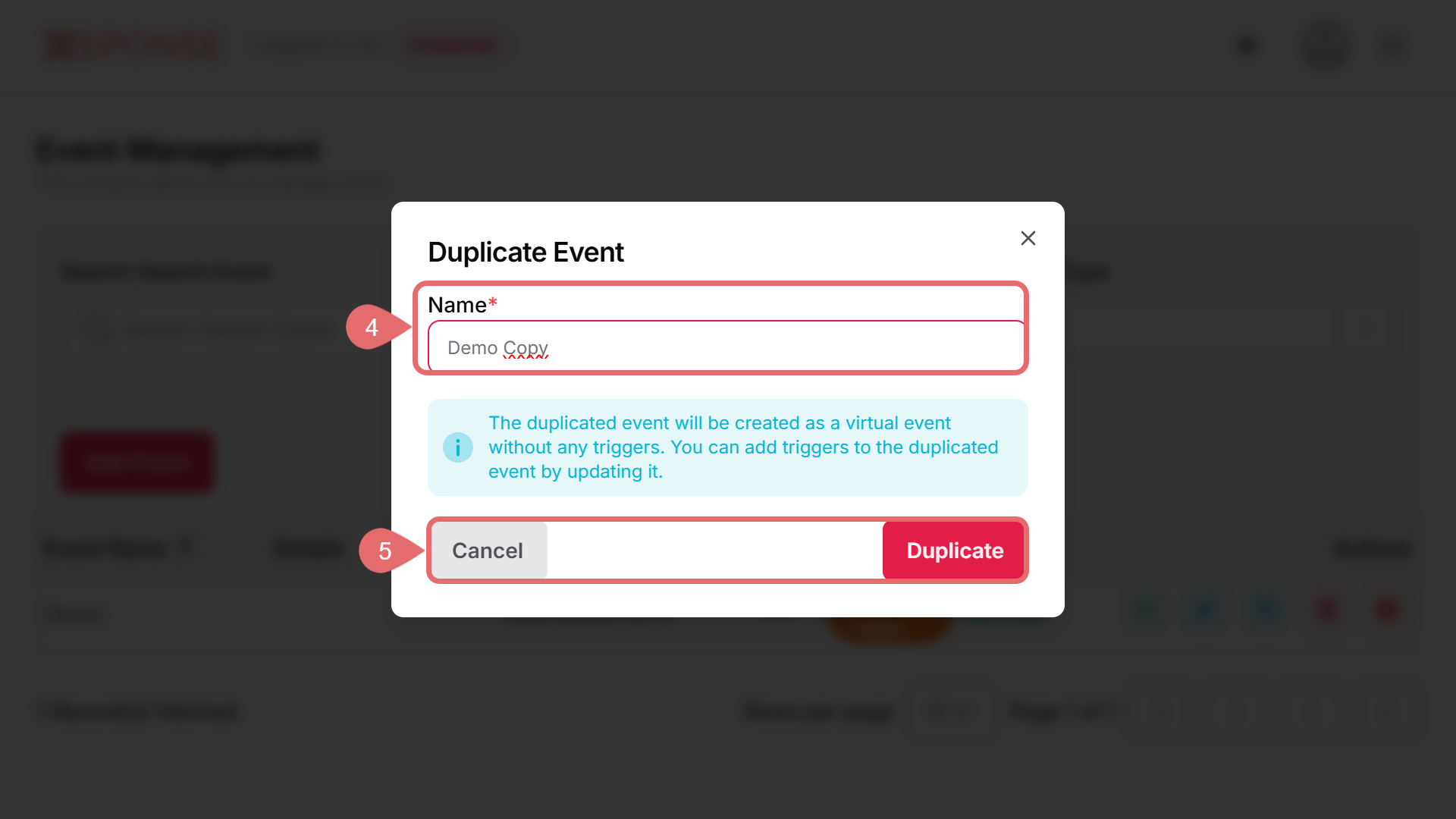
- Enter a new Name for the duplicated event.
- Click the Duplicate button to create the copy or Cancel to discard the action.
See Also
To complement your knowledge of this process, check the following pages: